
Setting up
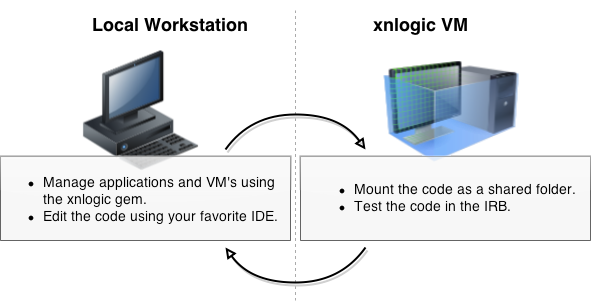
The xnlogic development environment includes a fully configured VM that allows you to get started quickly.
Requirements
In order to run the xnlogic development VM, you will need to install the required software:
- Vagrant (1.7.x and above)
- One (or more) of the following Vagrant providers:
Next, you should install the xnlogic command-line tool.
~$ gem install xnlogicThat’s it, you are now ready to create and run your first xnlogic application.
Create An Application
Let’s create a new application, called my_app, and start a VM for this app.
~$ xnlogic application my_app --key xn_user:xn_password --upThe command above may take a little while the first time it runs, as it needs to download all required assets for a development VM.
The (optional)
--upflag tells xnlogic to start a VM, once the application is created. If you don’t provide the--upoption, you can start the VM later, using thexnlogic upcommand.
Create A Database
Once the VM is up, we can create a database for our application.
Log into the VM.
~$ cd my_app
~/my_app$ xnlogic ssh
Start the console.
➜ ~ xn-consoleAnd create a database called db01.
jruby-1.7.18 :001 > PM.create_client('my_app', 'db01')That’s it! our new xnlogic application is ready.